Installs, purchases and leads describe the goal. Native, display and video describe the format. Programmatic describes how eligible inventory is bought.
ORBIT: Beyond the BlueAd · Exploration adventure game
ⓘ
Original fictional ORBIT campaign. This example does not use personal data or deliver a live ad.
A world beyond the everyday.
Explore the sky gardens and discover your next adventure.
CONTINUE DISCOVERINGMake room for something new.
● ● ●Mobile app / natural breakConcept
PATH
CHAPTER COMPLETEA new route is ready.
You have returned to the host app.
Ad · ORBIT
ORBIT
A world beyond the everyday.
Explore the sky gardens.
ORBIT: Beyond the BlueExploration adventure game
● ● ●Social feed / product discoveryConcept
the editDiscover
FORME running shoesSponsored
•••
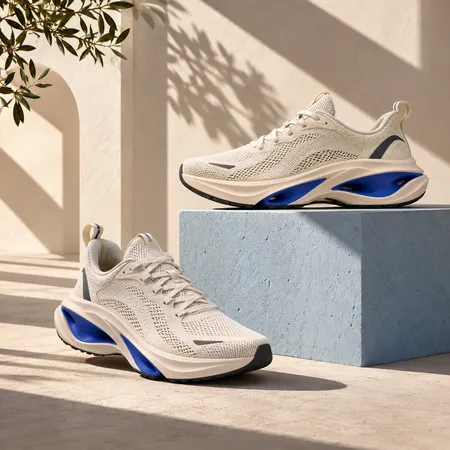
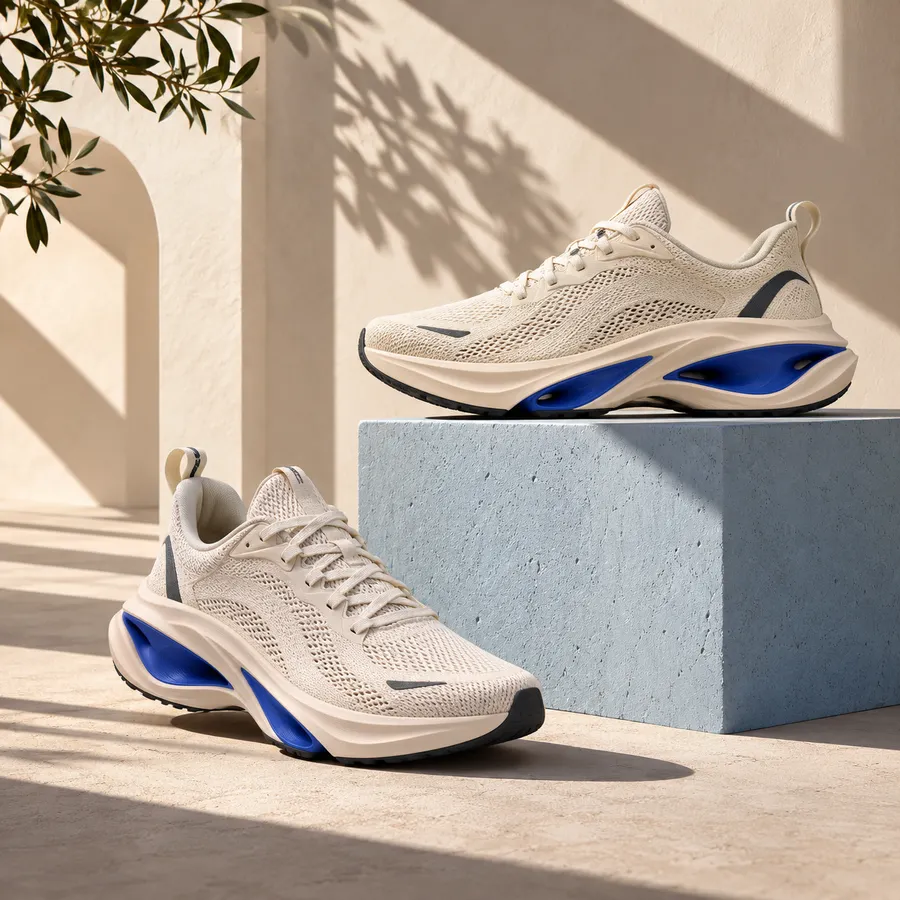
Your everyday, reimagined. Discover the FORME 01 in ivory and cobalt.
FORME 01 THE DAILY COLLECTION
FORME / COLLECTIONMake it part of your everyday.
More from your feed
● ● ●Desktop publisher / business contentConcept
THE DAILY
WORK / OPERATIONS / BUSINESS
The next project. A clearer way forward.
Bring the brief, the priorities and the next milestone into one shared plan.
Make the next step visible.
Useful project habits help a team move together.
ADVERTISEMENT ⓘ
focusFOR TEAMS
Good work. A clearer plan.
Give the next project a place to start.
PROJECT / NEXT CHAPTER
Brief the team
Plan the next milestone
Keep the work moving
● ● ●Professional feed / sponsored contentConcept
work / nextProfessional community
Focus for teamsSponsored
One shared plan for the work ahead. See how Focus brings tasks, priorities and the next milestone together.
FOCUS FOR TEAMS
Good work. A clearer plan.
PROJECT / NEXT CHAPTER
Brief the team
Plan the next milestone
Keep the work moving
PRODUCT WALKTHROUGHSee a clearer way to work.
● ● ●Desktop content / returning audienceConcept
THE DAILY
MOVEMENT / DESIGN / EVERYDAY LIFE
A little more movement. A different kind of day.
Make room for a new route, a fresh routine and the things that keep you moving.
Start with the everyday.
Good habits begin with small, considered choices.
ADVERTISEMENT ⓘ
FORME RUNNING SHOES
FORME 01
Ivory / Cobalt · Everyday running shoes.
Still finding your next pair?
pocket
A little clarity. A bigger plan.
Personal budgeting for the goals that matter to you.
Advertiser-side simulation: the eligible product visitor sees the FORME reminder. No real visitor data is used.
● ● ●Publisher page / display inventoryConcept
THE DAILY
MOVEMENT / DESIGN / EVERYDAY LIFE
A little more movement. A different kind of day.
Make room for a new route, a fresh routine and the things that keep you moving.
Start with the everyday.
Good habits begin with small, considered choices.
THE EVERYDAY EDIT
A new perspective starts here.
Stories about movement, considered design and daily life.
ADVERTISEMENT ⓘ
pocketPersonal budgeting app. Plan your next goal.
SIGNALSTREAMING / CONCEPT PLAYER
COASTLINES / EPISODE 01A different perspective.
ADVERTISEMENT
pocket
A little clarity. A bigger plan.
Personal budgeting for your next goal.
Programme previewEP 01
ADVERTISEMENT · FRAME
Play an eight-second commercial, then return to the programme preview. Nothing autoplays.
Original fictional campaigns in representative placements. Platform layouts vary. Ad controls, serving, attribution and destinations are simulated; no live ads, installs, purchases or enquiries are generated.
THE CATEGORY CHANGES THE CAMPAIGN
Different apps. Different reasons to act.
Explore six app categories through an original ad concept, a business objective and the signals worth discussing.
SPONSORED / ORIGINAL BRAND CONCEPTADWEAVE CREATIVE STUDY
DAYBREAKDISCOVERIES / PARTNER STORIES
FORMEAd · Everyday running. Considered.
INTRODUCING THE DAILY COLLECTION
Your everyday. Reimagined.
FORM / FUNCTION / EVERYDAY
FORME 01Everyday running shoes
Fictional brand · open the matching brand experience
SPONSORED / ORIGINAL BRAND CONCEPTADWEAVE CREATIVE STUDY
DAYBREAKDISCOVERIES / PARTNER STORIES
ORBITAd · Small explorer. Endless possibility.
STEP INTO A NEW ADVENTURE
Beyond the blue. Into the unknown.
EXPLORE SOMETHING EXTRAORDINARY
ORBIT: Beyond the BlueExploration adventure game
Fictional brand · open the matching brand experience
SPONSORED / ORIGINAL BRAND CONCEPTADWEAVE CREATIVE STUDY
DAYBREAKDISCOVERIES / PARTNER STORIES
pocketAd · A little clarity. A bigger plan.
MAKE ROOM FOR WHAT’S NEXT
Real plans. Not just good intentions.
YOUR GOALS. YOUR PACE.
Pocket — everyday budgetingPersonal budgeting app
Fictional brand · open the matching brand experience
SPONSORED / ORIGINAL BRAND CONCEPTADWEAVE CREATIVE STUDY
DAYBREAKDISCOVERIES / PARTNER STORIES
focusAd · Less scattered. More intentional.
ONE PRIORITY. A CLEARER DAY.
Your day. In focus.
A PLAN FOR THE WAY YOU WORK.
Focus — your daily plannerTasks & focus sessions
Fictional brand · open the matching brand experience
SPONSORED / ORIGINAL BRAND CONCEPTADWEAVE CREATIVE STUDY
DAYBREAKDISCOVERIES / PARTNER STORIES
FRAMEAd · Stories that stay with you.
A FRAME ORIGINAL / FICTIONAL FILM
THE LAST LIGHT
Some secrets never leave the shore.
A NEW STORY TO GET LOST IN.
The Last LightA coastal mystery on FRAME
Fictional brand · open the matching brand experience
SPONSORED / ORIGINAL BRAND CONCEPTADWEAVE CREATIVE STUDY
Illustrative category planning, not a spending ranking or a claim of platform access. Campaign scope, inventory and measurement are agreed before launch.
FORMATS, PLACEMENTS & CAMPAIGNS
Choose the experience. Then build for it.
A rewarded placement can contain video or a playable. An App campaign can distribute several creative formats. A native ad is defined by its placement and presentation—not by the category of product it promotes.
01
Native
+
A labeled sponsored placement adapted to an app’s content layout.
Useful for
Product discovery, feature explanations and content-led acquisition.
What to evaluate
Clicks and destination events; impressions and viewability where available.
Industry examples
Google AdMob; Meta Audience Network
02
Display / banner
+
An image or rich-media creative inside a defined ad slot.
Useful for
Product reminders, offers and concise app propositions.
What to evaluate
Impressions, clicks and attributable conversions.
Industry examples
Google Display; AdMob; programmatic inventory
03
Interstitial
+
A full-screen ad at a natural break in the host app. May contain an image, video or interactive creative.
Useful for
App discovery and full-screen product stories.
What to evaluate
Impressions, completion where relevant, clicks and downstream actions.
Industry examples
Google AdMob; mobile ad networks
04
Rewarded
+
The user chooses an ad experience in exchange for a clearly stated in-app reward.
Useful for
Publisher monetization; advertiser reach within an agreed value exchange.
What to evaluate
Opt-in, eligible completions, reward delivery, revenue and retention.
Industry examples
Google AdMob; Meta Audience Network
05
Playable
+
An interactive preview of a game or app experience.
Useful for
Demonstrating mechanics before the user installs.
What to evaluate
Engagement, installs and post-install quality.
Industry examples
Mobile ad networks; TikTok Playable Ads
06
Short-form / social video
+
A video made for a feed, Stories or another short-form viewing context.
Useful for
Gameplay, product demonstrations and feature-led app discovery.
What to evaluate
Video engagement, response and attributable app events.
Industry examples
TikTok; Meta; YouTube Shorts
07
CTV / streaming video
+
A commercial shown in a streaming television environment. Creative is generally designed for a landscape screen.
Useful for
A broader product story with a channel-appropriate response path.
What to evaluate
Reach, frequency and completed views where supplied; downstream measurement requires an agreed method.
Text or app-focused creative shown in relevant search or app-discovery contexts. A campaign type can use several formats.
Useful for
Responding to expressed intent or encouraging an app install.
What to evaluate
Clicks, installs and attributed actions.
Industry examples
Google Search and App campaigns — industry context
09
Shopping / product carousel
+
Product-led creative showing individual items or a browsable sequence. Shopping ads and carousels are distinct implementations.
Useful for
Product comparison and collection discovery.
What to evaluate
Product visits, cart actions, purchases and revenue.
Industry examples
Google Shopping; social and retail platforms — industry context
RESEARCH NOTES / REVIEWED NOVEMBER 2026
Built from platform guidance.
“Most advertised” depends on whether a report counts spend, advertisers, creatives or impressions—and on its markets and period. The categories above are planning examples, not a universal league table.

 FORME 01